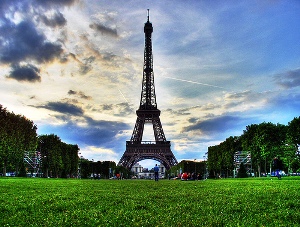
 Ah! Paris… the beautiful European city which conjures images of lovers walking hand in hand and kissing. Paris is one of those cities which should be visited at least once in a life time. It offers everything you might thing of: from incredible museums, to romantic places, excellent cuisine and beautiful scenery.
What can be said about Paris without writing an entire book? We can start with the highlights, hoping that during your first visit you’ll manage to explore at least some of them. Eiffel Tower is , without a doubt, the icon of Paris. When you see a postcard of the tower, you know it’s taken in Paris! The majestic Notre Dame Cathedral, overly crowded Arc de Triomphe, quiet Sacré Coeur and impressive Chateau de Versailles are only some of the places which will amaze you once you get to visit them.
Paris is bustling no matter when you visit. In July and August, half of the locals head to the Alps or the South of France but fear not, the city is filled with the noisy tourists stumbling to visit as much as they can. Paris is so popular that there aren’t “low” and “high” seasons, just months when it’s possible to visit a place without waiting for ages to get inside. Price wise Paris is either abnormally expensive or …just expensive. In other words, rack up some money before you plant to come here.
Planning the budget and trying not to break a bank in the process
The peak season is summer, but don’t be fooled to think that summer represents only July and August. By early May tourists poor in and the prices, gradually go up. Best time to visit Paris? When the rest aren’t considering: January or October-November. February is also nice but avoid St. Valentine’s Day as the “city of lovers” gets swamped with those looking for a romantic vacation.
European vacation packages come in handy year round and they focus on different things: from romantic packages in February, to shopping sprees in the winter and everything else you can think of. Many of them focus on Paris, so chances are you’ll find something to suit your plans and budget.
However, if you want flexibility and plan to find a budget hotel or hostel for your stay, it’s better to plan things on your own. January is a slower month in Paris and it’s easy to find something which is not extraordinary expensive.
Being served by large airports, Paris doesn’t lack connections with the entire world. Flights to Paris are easily available but make sure to book slightly in advance if you want to save money. Many large carriers, including Air France, have quite a lot of good offers during the slower periods.
As for hotels in Paris , you are bound to get a headache when you look for prices. Of course, the closer to the attractions, the higher the prices and we bet you don’t want to stay near the airport, right? Occasionally, there are some hot deals available but you need to be quick and keep your eyes on the websites often. There are plenty of neighborhoods where you can stay but remember that you’ll be using the public transport quite a lot (which is a good thing since you won’t have too many headaches).
Things to do in Paris in January
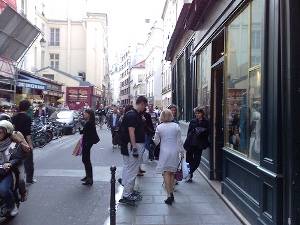 The main “event” in January (and February) in Paris is… shopping. The shopping sales attract tourists from all over the world (and especially Europe). With a lot of luck and many hours spent in the stores you can easily come home with a new wardrobe for a decent price (so pack very light and allow for extra baggage on the way back home). Fashion shows are also part of the January (and February) social scene.
Concerts are always happening in Paris so January is not an exception. On January 19 and 20, Depeche Mode sing at Palais Omnisport de Bercy. You can also listen to the legendary Patricia Kaas at Casino de Paris on several January nights (8, 9 and 10).
Where to stay
Here’s a quick tip for you: private rooms in hostels are cheaper and offer enough intimacy to enjoy a vacation with your loved one. And if you decide to stay in a hostel, there are quite a lot of chances to find something affordable right in the heart of Paris.
3 Ducks Hostel is open year round and is located close to the Eiffel Tower. There’s a kitchen the guests can use. Linen is not included in the price. Breakfast is free and so is wi-fi. In January, bed prices start at $25.87 per night.
Lucky Youth offers apartments for rent at the price of hostel dorms. You’ve got a kitchen, TV and internet and share the apartment with a maximum of 8 persons. Linen and towel are included in the price. In January, rates start at $24.43 per person per night.
Grand Hotel Magenta is located close to the Montmartre area. It offers 30 rooms all with TV and phone. Some rooms have private bathrooms. Breakfast is free. In January, rates start at $34.43 per person per night.
Agil Hotel Paris Orly is located in a quiet residential area south of Paris (15 km) and is ideal if you plan to rent a car for your visit. It offers free wi-fi and car parking. There are 32 rooms all with bathrooms, TV and phone. In January, rates start at $21.51 per person per night.
Hotel du Parc Saint Charles is a small, charming hotel offering only 15 rooms. It’s also costlier than the rest of our choices but it’s great if you plan a romantic escape. It’s located close to Porte de Versailles. All rooms have AC. In January, rates start at $134 per person per night.
 Since the new year just started, it’s time to look at what the future holds for the travel business, in general, and the hotel industry, in particular. Two really interesting articles on this subject (you can find them
 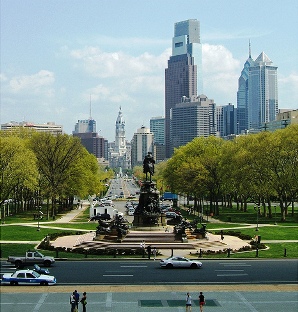 Philadelphia is a city any lover of American history should visit. It’s also a great destination for those looking for a family vacation or those looking for the modern attractions of the city. The climate of the city is humid continental with cold and often snowy winters. During the colder months, the temperatures hover around freezing.
  There isn’t much time left until Valentine’s Day and we could bet you are looking to impress that special person in your life. And we also know that the budget is probably a problem. So, here is an idea for you.
 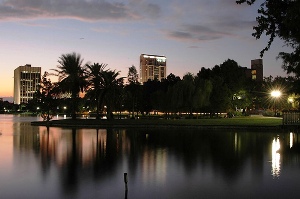 When someone is planning a vacation in Orlando, they typically have only one thing in mind: Disney World! But Orlando is not all about Disney – plus, Disney World is actually located in near-by Lake Buena Vista. Other things to do here include: spending time in the gardens and parks, visiting museums, golfing or just spending time in Downtown Orlando.
 Being a travel destination year-round, Orlando doesn’t lack events and festivals in January. It’s a great idea to rent a car if you want to have the freedom to check out the festivals and events in the near-by places.
 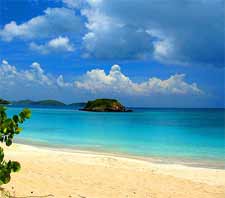 The Caribbean is a very popular travel destination, known for its warm weather, great beaches, countless activities and superb nature. But this doesn’t mean the area is not struggling during the economic crisis.
  The high season in Hawaii lasts from mid-December until mid-April and it’s the time when everyone seems to want to come here. Therefore, the prices tend to be on the high side and looking for deals is the easiest way to save some money.
  Niagara Falls lies on the border between New York (USA) and Ontario (Canada). The spectacular waterfall draws tourists on either side but it’s said that the sights on the Canadian side are more impressive. Also, the Canadian side draws more visitors because of the additional attractions and plentiful accommodation.
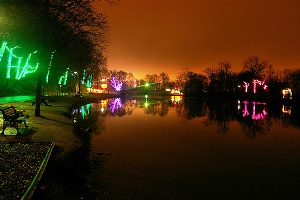 Visiting the falls is free but during the winter season, due to the frost, it’s not possible to take the tour boats. So if you are looking for that experience, plan your vacation during the summer season. Likewise, if you want to test the rides at Marineland Theme Park, you should plan your vacation between May and October.
 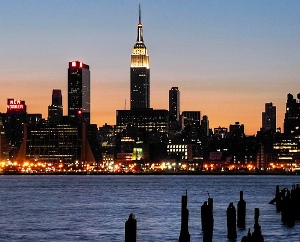 “The Big Apple” is America’s biggest city. Also known as “The City which Never Sleeps”, New York is one of those places which have to be visited at least once in a lifetime. The city consists of five boroughs and accommodation is much more expensive in Manhattan than anywhere else. Still, most visitors come here to explore only Manhattan.
 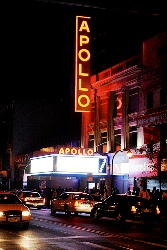 Such a large city doesn’t lack events and festivals, regardless of the time of the year when you travel.
  The start of December doesn’t seem to come with good news for the U.S. hotel industry.